When a customer clicks “Pay,” several systems may become involved: the merchant’s website, a payment gateway or processor, the acquiring institution, the card network, and the cardholder’s issuing bank. The merchant’s bank payout may occur separately after the payment itself has been processed. Pending, Authorized, Captured, and Settled are useful terms, but they are not a universal four-step status system used identically by every bank and payment provider. Stripe, for example, uses statuses such as processing, requires_capture, and succeeded, while Adyen uses labels including Open, Authorised, SentForSettle, and Settled. A customer’s banking app may use “Pending” differently from the merchant’s payment dashboard.
Core Differences Between Pending, Authorized, Captured, and Settled
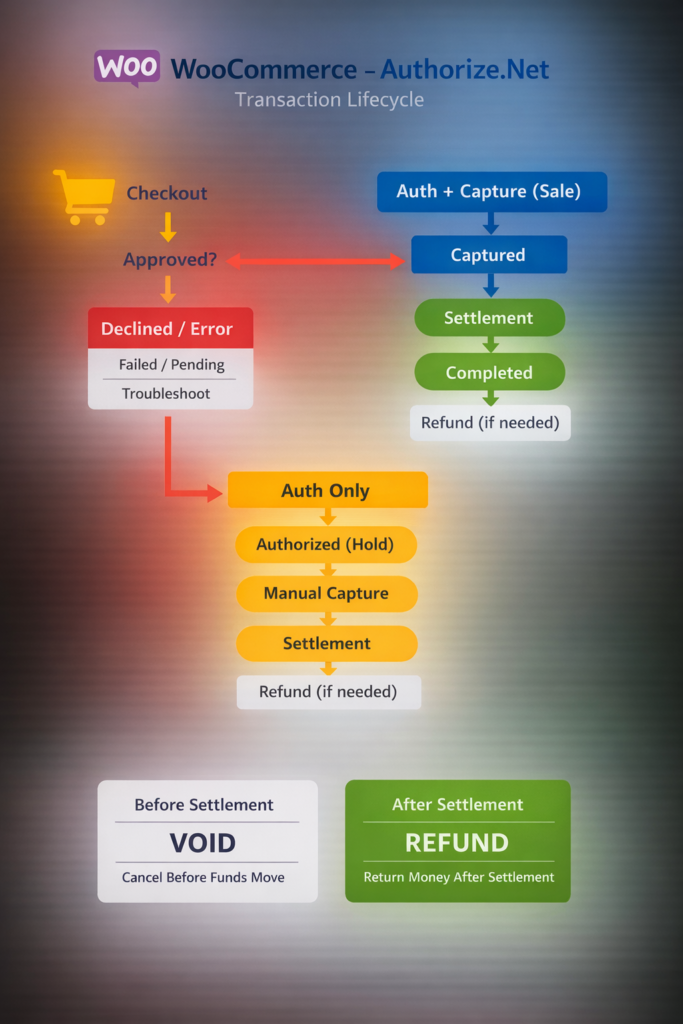
A card payment that uses separate authorization and capture may broadly follow this path:
[1. Pending] ──► [2. Authorized] ──► [3. Captured] ──► [4. Settled]
(Processing) (Amount Reserved) (Payment Submitted) (Funds Received by Processor)
Some payments combine authorization and capture immediately. Other payment methods use a different sequence and may remain asynchronous for several days.
What Is Pending? Why Is Your Transaction On Hold in the System?
Concept: Pending generally means that a payment-related action has started but has not reached a final result. It does not identify one precise technical stage.
Technical Mechanism: A payment can remain pending while the customer completes authentication, while the processor waits for a bank response, or while an asynchronous payment method confirms the transfer. Adyen, for example, uses an Open status when authorization is pending, including cases involving redirects or 3D Secure authentication. Stripe uses processing for PaymentIntents that are still being processed.
On a bank statement, “Pending” often refers to an authorized card transaction that has not yet been posted as a final charge. Therefore, the customer’s balance display and the merchant’s payment status may not use the same wording.
What Is Authorized? Has Money Actually Left the Account?
Concept: Authorized means the issuer or relevant financial institution approved the payment request. For card payments using delayed capture, the issuer normally reserves the amount against the customer’s available credit or balance.
Technical Mechanism: The merchant has permission to capture up to the approved amount within the authorization period. Authorization does not always mean that the merchant has received funds, and it does not eliminate the possibility of an expired or failed capture. Stripe describes authorization as the issuer validating the payment and reserving sufficient funds while waiting for capture. Adyen similarly describes an authorized payment as approved by the financial institution but still awaiting capture.
Real-World Example: Hotels and car-rental companies may authorize an estimated amount before the final charge is known. The final amount may later be adjusted, captured, partially captured, or reversed according to the merchant’s procedures and network rules.
What Is Captured? The Critical Step for Merchants to Claim Funds
Concept: Capture is the merchant’s instruction to complete an authorized payment.
Technical Mechanism: The processor submits the captured amount for clearing and settlement. Capture may happen automatically immediately after authorization, manually when an order is fulfilled, or in separate partial amounts for split shipments.
It is inaccurate to state that every merchant captures only after packing or dispatch. Adyen and Stripe both support manual capture, but automatic capture is also common. The correct timing depends on the merchant’s business model and agreement with the payment provider.
A captured payment may still be waiting for confirmation from the financial system. Adyen labels this stage SentForSettle and notes that the payment can no longer be canceled through the ordinary cancellation process once that stage is reached.
What Is Settled? The Final Milestone When Funds Arrive in Merchant Accounts
Concept: Settled usually means that clearing and settlement for the payment have been completed at a defined point in the processor’s system.
Technical Mechanism: The precise meaning depends on the provider. In Adyen’s lifecycle, Settled means Adyen has received the payment funds, but it explicitly does not necessarily mean that those funds have already been paid to the merchant’s external bank account. The merchant payout follows the applicable payout model and schedule.
Stripe also separates payment settlement timing from payout scheduling. Funds may first become available in the merchant’s processor balance and then be sent to the external bank account according to a country- and account-specific payout schedule.
A settled transaction is not immutable. It may later be refunded, disputed, charged back, or adjusted.
| Status | Typical Position of Funds | Has the Seller Received a Bank Payout? | Typical Cancellation Method |
|---|---|---|---|
| Pending | Status is unresolved or processing | No | Depends on the payment method and processor |
| Authorized | Reserved against the customer’s available balance or credit | No | Cancel or send an authorization reversal where supported |
| Captured | Submitted for clearing and settlement | Not necessarily | Usually refund or reversal, depending on processing stage |
| Settled | Received at the processor or acquiring level | Not necessarily; payout may be separate | Refund; disputes may still occur |
An Accountant’s Nightmare: How Unsettled Transactions Impact Business Bookkeeping
Real-World Cash Flow Discrepancies
Payment settlement and revenue recognition are separate accounting questions.
Suppose a customer places an order on December 31, the payment is authorized that day, and the goods are delivered on January 2. Authorization alone does not normally establish that revenue belongs in the earlier period. Under IFRS 15, an entity recognizes revenue when or as it satisfies a performance obligation by transferring the promised goods or services to the customer.
The reverse situation is also possible. If control of the goods transfers to the customer on December 31 but the payment processor settles or pays out the transaction in January, revenue may still belong to December, depending on the contractual terms and applicable accounting policy. The unsettled amount may instead be recorded through a receivable or payment-processor clearing account.
Therefore:
- Authorization is not automatically revenue.
- Settlement is not automatically the revenue-recognition date.
- A bank payout is not necessarily a new sale.
The business must separate order fulfillment, revenue recognition, processor settlement, fees, refunds, and bank deposits.
Practical Solutions From Modern ERP Systems
The original claim that modern systems export only settled transactions to the general ledger is incorrect. ERP and accounting integrations can record orders, invoices, receivables, captured payments, processor balances, fees, refunds, disputes, and payouts at different stages.
Adyen’s Payment Accounting Report, for example, contains lifecycle changes and modifications across transactions rather than only final settlements. Its settlement reports can then be used to match processed payments and fees with payouts.
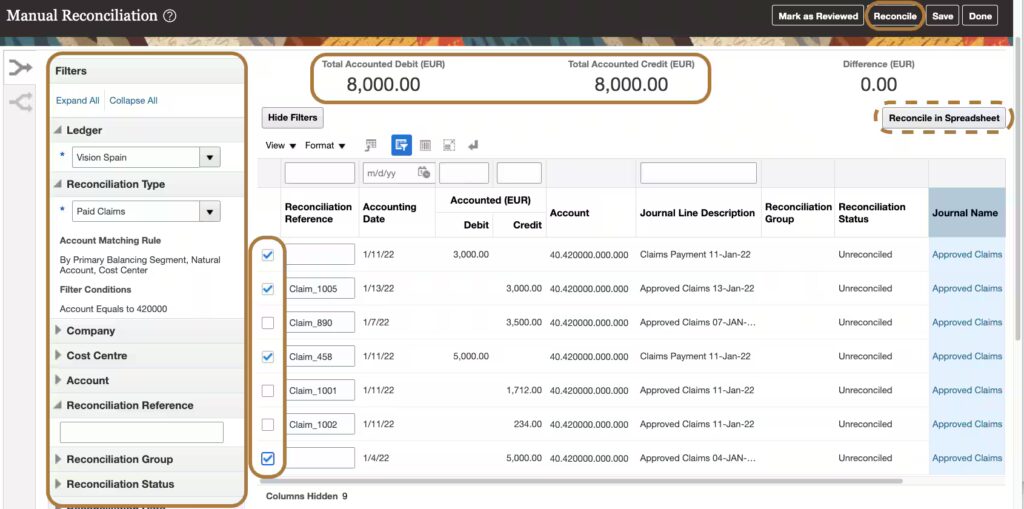
A practical reconciliation structure is:
- Record the sale according to the applicable revenue-recognition policy.
- Record the customer payment in a payment-processor clearing account.
- Record processing fees and payment adjustments separately.
- Match captured and settled transactions against the processor report.
- Match processor payouts against bank-statement deposits.
- Investigate differences caused by fees, currency conversion, refunds, reserves, disputes, or timing.
Essential Rules Businesses Must Know to Avoid Pitfalls During Refunds
Void vs. Refund
Canceling during Authorized status: When an authorized payment has not been captured, a merchant may cancel it or send an authorization reversal. The reversal tells the issuer that the sale will not be completed and that the hold should be removed. Release is not always immediate because the issuer must receive and match the reversal with the original authorization.
It is inaccurate to promise that the customer’s available balance will be restored instantly or that every void has zero cost. Pricing and operational rules depend on the payment provider and merchant agreement.
Canceling after Capture: Once funds have been captured, the merchant will generally need a refund or another supported reversal operation. Adyen instructs merchants to cancel an authorized but uncaptured payment and refund a payment that has already been captured.
Refund fees are not universal. Stripe states that a payment canceled before completion can be canceled without cost under its standard flow, while refunds may incur fees and the original processing fees are generally not returned. Other providers and custom contracts may apply different terms.
The time before a refund appears in the customer’s account also varies by payment method, processor, bank, country, and refund outcome. A fixed promise of three to ten business days is not reliable for every transaction.
Authorization Hold Window
There is no universal authorization window of seven to thirty days.
Validity depends on factors including:
- Card brand.
- Card-present or card-not-present processing.
- Merchant category.
- Customer-initiated or merchant-initiated status.
- Payment method.
- Processor configuration.
- Eligibility for extended authorization.
Stripe’s published card-present windows, for example, list five days for Visa and two days for Mastercard, American Express, and Discover in its standard Terminal flow, while eligible extended authorizations may remain capturable for up to 30 days. Other online and non-card methods have different limits.
Merchants should read the current authorization rules shown by their own payment provider and monitor authorization-expiry timestamps rather than relying on a general range.
Why Are Transactions Refused or Marked as Error?
Not every provider uses the words Refused and Error, but they commonly represent different outcomes:
┌──► Refused or Declined [Payment Request] │ (Issuer, Network, Risk, or Validation Decision)
└──► Error or Processing Failure
(Communication or Technical Problem)
Fraud Scoring & Security Checks
Payment processors may use configurable rules, machine-learning models, lists, device information, transaction history, and authentication results to assess risk.
There is no universal rule that an Adyen score above 99 always causes every transaction to be declined. Adyen documents a FRAUD-CANCELLED refusal reason when the combined fraud score reaches 100 or more, but actual risk configuration and refusal reasons remain specific to the merchant’s setup and processing flow.
A card can also be refused by the issuing bank or card network for suspected fraud, restrictions, failed verification, invalid data, or other policy reasons.
Insufficient Funds
The issuer may decline a transaction when the available balance or credit is insufficient. The merchant usually receives a standardized or processor-mapped decline reason but may not receive detailed information about the customer’s account.
The customer may need to use another payment method or contact the issuer. Repeatedly retrying an unchanged declined payment can be ineffective and may conflict with network or processor retry guidance.
Technical & AVS Errors
Data Mismatches: An invalid card number, expiration date, or security code may lead to a decline. Address Verification Service and CVC results do not produce identical outcomes for all merchants because acceptance rules can be configured differently.
Technical Error: A communication failure can occur between the merchant, processor, acquirer, network, or issuer. Adyen defines its Error status as a communication problem in which funds were not processed.
A user should not always retry immediately after a timeout. The merchant should first check the transaction reference, payment status, webhook events, and idempotency controls to avoid creating a duplicate charge. Only retry after confirming that the original attempt did not complete.

Pending, Authorized, Captured, and Settled describe useful payment concepts, but their exact meanings depend on the bank, card network, payment method, and processor. For Consumers: An authorization or pending entry may reduce the available balance without being a final posted charge. If a payment is canceled, the issuing bank controls when the hold disappears. Contact the merchant first and then the bank if the hold remains longer than expected. For Merchants: Do not treat authorization, capture, settlement, payout, and revenue recognition as the same event. Use the processor’s lifecycle reports, a payment-clearing account, fulfillment records, refund data, and bank statements together. This produces more accurate accounting than sending only transactions labeled “Settled” to the general ledger.